
Modernizing Your Business Operations with Cloud Based ERP Systems
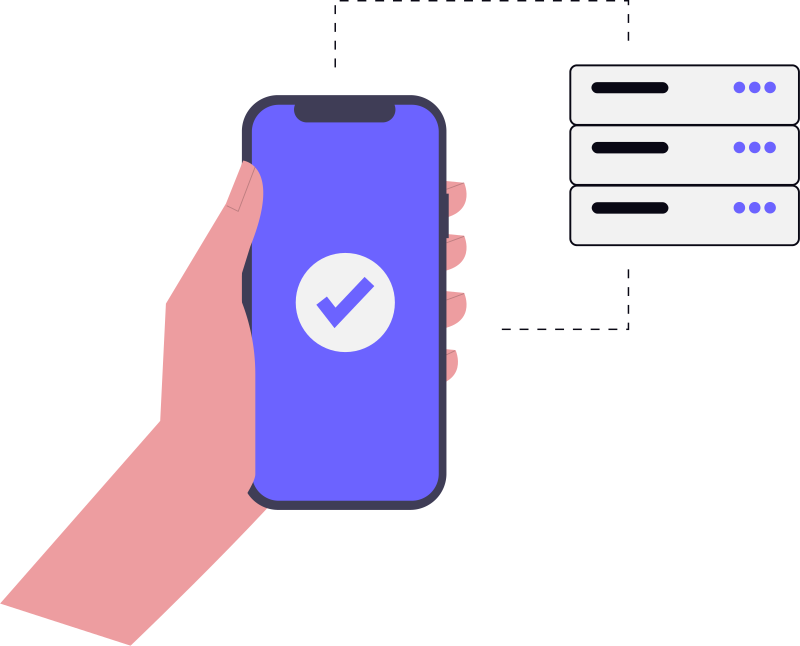
For many business owners, the term "ERP" brings back memories of expensive, monolithic software that took two years to implement and felt like a chore to use. Those legacy systems were designed for a world where data lived on a local server in a cooled room and changes were made via tedious tickets to an IT department.
Modern business doesn't work that way anymore. We operate across time zones, manage remote teams, and expect data to be available on a smartphone in real-time. This is where cloud based ERP systems change the conversation. Instead of a rigid piece of software, a cloud ERP acts more like a living ecosystem that grows as your operational needs evolve.
The Reality of Moving to the Cloud
When we talk about "modernizing," it is easy to get caught up in the technical jargon. But in practical terms, modernization is about removing friction. If your sales team is using one spreadsheet, your warehouse is using another, and your finance team is manually reconciling both at the end of the month, you don't have a data problem—you have a structural problem.
Cloud based ERP systems solve this by creating a "single source of truth." When a sales order is marked as complete, the inventory is automatically deducted, the invoice is generated, and the financial ledger is updated instantly. There is no manual hand-off, which means there is no room for the typical human errors that plague manual data entry.
However, the transition isn't just about switching servers. It requires a shift in how you view your processes. Many companies make the mistake of trying to replicate their old, inefficient manual workflows inside a new cloud system. The real value comes when you use the migration as an excuse to audit your operations and strip away the "we've always done it this way" bottlenecks.
Choosing the Right Path: SaaS vs. Custom Cloud ERP
One of the first crossroads you'll hit is deciding between a standard Software-as-a-Service (SaaS) product and a more tailored approach. Both have their place, depending on how unique your business model actually is.
Standard SaaS ERPs
These are the "off-the-shelf" solutions. They are great for businesses that follow industry-standard processes. You get a fast deployment, predictable monthly pricing, and the vendor handles all the security updates. The tradeoff? You have to adapt your business to the software's logic. If your workflow is highly unconventional, you might find yourself fighting the system.
Customized Cloud Solutions
For companies with complex supply chains or proprietary operational logic, a generic tool often falls short. In these cases, bespoke software development allows you to build a system that mirrors your exact business logic. You get the scalability of the cloud but without the compromises of a one-size-fits-all template.
Common Operational Bottlenecks That Cloud ERPs Fix
If you are wondering whether your current setup is holding you back, look for these red flags in your daily operations:
- The "End-of-Month" Panic: If your team spends the first five days of every month just trying to get the numbers to match across different departments, your data is siloed.
- Inventory Blind Spots: When you sell a product but realize ten minutes later that it was actually out of stock because the warehouse hadn't updated the sheet.
- Approval Deadlocks: When a simple purchase request sits in an email inbox for three days because the manager is travelling and can't access the local server.
- Fragmented Customer Views: When a customer calls with a complaint, and the support agent has to ask three different departments to find out the order status.
Moving to cloud based ERP systems eliminates these gaps. Because the system is accessible from anywhere, approvals happen in seconds via mobile apps, and inventory is tracked in real-time across every channel.
The Hidden Challenges of Implementation
It would be unrealistic to say that cloud migration is seamless. Most ERP failures aren't technical; they are human. Here are the real-world hurdles you should prepare for:
Data Hygiene (The "Garbage In, Garbage Out" Problem)
The biggest mistake companies make is migrating "dirty" data. If your old system has duplicate customer entries, outdated pricing, and inconsistent naming conventions, moving that data to a shiny new cloud ERP just gives you a faster way to see your mistakes. You must invest time in cleaning your data before the migration starts.
User Resistance
People get comfortable with their spreadsheets. When you introduce a new system that demands a specific way of entering data, some employees will see it as "extra work" rather than a tool for efficiency. The key is involving the end-users—the people actually doing the data entry—during the selection process so they feel ownership of the change.
Integration Complexity
Rarely does an ERP stand alone. You likely have a specific CRM, a payment gateway, or a shipping partner. Ensuring these "talk" to your cloud ERP without creating data loops or sync errors requires a clear integration strategy. This is often where cloud-based application development expertise becomes necessary to build the bridges between different software pieces.
Budgeting Beyond the Subscription Fee
When looking at the cost of cloud based ERP systems, many leaders only look at the monthly per-user fee. This is a dangerous way to budget. To get a realistic picture, you need to account for:
- Implementation & Configuration: Setting up the workflows, mapping the data, and configuring user permissions.
- Training: The cost of downtime while your staff learns the new system.
- Data Migration: The professional services required to extract, clean, and upload your legacy data.
- Customizations: The cost of building specific features or API integrations that the base software doesn't provide.
While the upfront cost of a cloud transition can feel steep, the ROI usually comes from the reduction in operational waste—fewer errors, less manual labor, and faster decision-making based on actual data rather than "gut feelings."
Is Now the Right Time to Modernize?
If your business is stable and your current tools are meeting your needs, there is no need to rush into a massive overhaul. However, if you are planning to scale—opening new locations, expanding your product line, or entering new markets—legacy systems will eventually become a ceiling. They cannot handle the complexity of rapid growth.
Modernizing your operations isn't about following a trend; it's about building a foundation that doesn't break when you double your order volume. Cloud based ERP systems provide that elasticity, allowing you to add users, modules, and storage as you grow, without having to buy new hardware every few years.
Frequently Asked Questions
Will moving to a cloud ERP make my data less secure?
How long does a typical cloud ERP implementation take?
Can I still use some of my old software with a cloud ERP?
What happens if my internet goes down?
Final Thoughts
Modernizing your business operations isn't just a technical upgrade; it's an operational reset. By moving to cloud based ERP systems, you stop managing software and start managing your business. The transition requires a disciplined approach to data and a willingness to change old habits, but the result is a lean, transparent organization that can react to market changes in real-time.
Book a strategy call
From zero-to-one product development to scaling infrastructure. Pinakinvox partners with high-growth teams to solve complex technical challenges.
Recommended by professionals.
Everything published here is tested and deployed in live production systems. No theories.