
Cloud Based App Development: How to Build Scalable and Flexible Applications
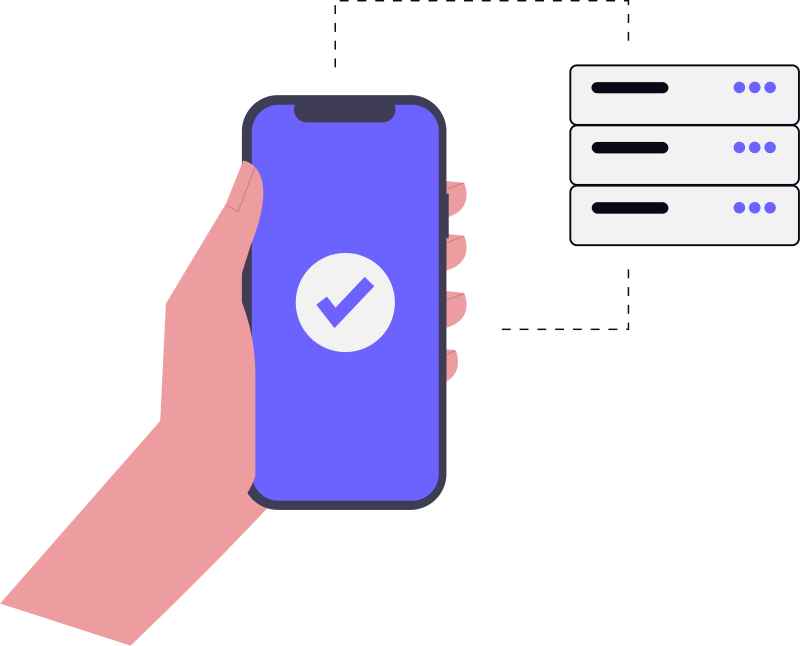
Cloud based app development involves architecting software specifically for cloud environments to ensure scalability and flexibility. Rather than simply hosting traditional apps, developers use cloud-native strategies, such as PaaS and microservices, to handle traffic spikes automatically and reduce operational overhead compared to traditional monolithic systems.
Most businesses approach cloud based app development as a way to "get off their own servers." While that is a primary driver, the real value isn't just in where the code lives—it is in how the application is architected. There is a massive difference between taking a traditional app and hosting it on a cloud server (Lift and Shift) and building a cloud-native application designed to breathe and grow with your user base.
When we talk about scalability and flexibility, we aren't just talking about adding more RAM when things get slow. We are talking about a system that handles a sudden 10x spike in traffic without a developer having to wake up at 3 AM to manually provision new instances. That level of stability requires a shift in how you plan, build, and manage your software.
The Reality of Cloud Deployment Models
Before diving into the "how," it is important to be realistic about the environment you are choosing. You will often hear about Public, Private, and Hybrid clouds. In practice, the choice usually comes down to a trade-off between control and convenience.
- Public Cloud: This is the standard for most startups and mid-market companies. You use shared resources from providers like AWS, Azure, or GCP. It is fast to deploy and scales almost infinitely, but you have less control over the underlying hardware.
- Private Cloud: Used mostly by banks or healthcare providers where data sovereignty is non-negotiable. It gives you total control but brings back the headache of managing your own infrastructure, even if it is virtualised.
- Hybrid Cloud: A pragmatic middle ground. You might keep your sensitive customer records on a private server but run your front-end and heavy processing on a public cloud to handle traffic spikes.
Then there are the service models: IaaS, PaaS, and SaaS. If you are building a custom product, you will likely spend most of your time deciding between IaaS (where you manage the OS and middleware) and PaaS (where the provider handles the environment, and you just push your code). For most fast-moving teams, PaaS is the way to go because it removes the operational overhead of server patching and OS updates.
Designing for Scale: Moving Beyond the Monolith
The biggest mistake we see in cloud based app development is building a "monolith" and putting it in the cloud. A monolithic architecture is one where the entire app—user authentication, payment processing, database management—is one single unit. If the payment module crashes or needs an update, the whole app goes down.
The Microservices Approach
To achieve true flexibility, you have to break the app into microservices. Each service does one thing well. For example, your "Order History" service is separate from your "User Profile" service. They communicate via APIs. This means if your order history service is lagging, your users can still log in and update their profiles without issue.
However, microservices aren't a silver bullet. They add complexity. You now have to manage multiple deployments, complex networking, and distributed data. This is where planning scalable web applications becomes critical; you need to know exactly where the boundaries of your services lie before you start coding, or you'll end up with a "distributed monolith" which is the worst of both worlds.
Serverless Architecture: The Ultimate Flexibility
For certain functions, you don't even need a server running 24/7. Serverless computing (like AWS Lambda) allows you to run code only when a specific event triggers it. This is incredibly cost-effective for tasks like sending a welcome email after signup or processing an image upload. You pay only for the milliseconds the code actually runs.
Practical Steps to Build a Flexible Cloud App
Building for the cloud is less about the language you use and more about the patterns you follow. Here is a workflow that actually works in a production environment.
1. Decouple Everything
Avoid tight coupling. If Service A cannot function because Service B is momentarily offline, your system is fragile. Use message queues (like RabbitMQ or Amazon SQS). Instead of Service A calling Service B and waiting for a response, Service A drops a message in a queue, and Service B picks it up when it can. This ensures that a failure in one part of the system doesn't trigger a domino effect.
2. Implement Auto-Scaling Policies
One of the biggest perks of cloud based app development is the ability to scale horizontally. Instead of making one server bigger (vertical scaling), you add more identical servers (horizontal scaling). Set up triggers based on CPU usage or request counts. When traffic hits 70% capacity, the cloud provider should automatically spin up two more instances. When traffic drops, it should kill them off to save money.
3. Prioritize State Management
For an app to be truly flexible, it must be "stateless." This means the server shouldn't "remember" who a user is based on local memory. If a user is connected to Server 1 and that server crashes, they should be seamlessly moved to Server 2 without being logged out. Store session data in a fast, external cache like Redis rather than on the server itself.
4. Automate the Pipeline (CI/CD)
You cannot manage a scalable cloud app with manual deployments. You need a Continuous Integration and Continuous Deployment (CI/CD) pipeline. Every time a developer pushes code, it should be automatically tested and deployed to a staging environment, and then to production. This reduces the risk of human error and allows you to push updates multiple times a day without downtime.
The Hidden Costs and Operational Bottlenecks
While the cloud promises "pay-as-you-go," the bill can spiral if you aren't careful. We often see companies over-provisioning resources "just in case," which defeats the purpose of the cloud.
Another common bottleneck is data latency. If your app server is in the US but your database is in India, your users will experience a lag that no amount of code optimisation can fix. You need to strategically place your resources in regions closest to your users or use a Content Delivery Network (CDN) to cache static assets globally.
Budgeting for these services is often an afterthought. Many founders focus on the initial build but overlook the monthly operational costs. It is always a good idea to look at application development cost factors to understand how cloud consumption fees can grow as your user base expands.
Choosing the Right Tech Stack for the Cloud
While you can use almost any language in the cloud, some are naturally better suited for distributed systems. Node.js and Go are popular for microservices because they handle asynchronous tasks efficiently. For the database, the choice between SQL (like PostgreSQL) and NoSQL (like MongoDB) depends on your data structure. If your data is highly structured and requires complex joins, stick with SQL. If you are dealing with massive amounts of unstructured data that needs to scale rapidly, NoSQL is the better bet.
By the Numbers
- Enterprise spending on cloud services continues to grow as organizations shift toward cloud-native architectures to improve agility. (IDC)
- A significant majority of the world's websites now utilize cloud-based hosting and infrastructure services to maintain uptime. (W3Techs Web Technology Surveys)
- Global cloud computing market revenue is projected to maintain a strong compound annual growth rate as adoption scales. (Statista)
The real value of cloud development isn't just where the code lives, but in building applications designed to breathe and grow with your user base.
— Pinakinvox Engineering Team
Frequently Asked Questions
Is cloud-based development more expensive than traditional hosting?
Can I move an existing app to the cloud without rewriting it?
How does the cloud improve app security?
What is the difference between cloud-native and cloud-hosted?
Final Thoughts
Cloud based app development is not just a technical choice; it is a business strategy. It allows you to experiment faster, fail cheaper, and scale instantly when you find a product-market fit. The goal isn't just to "be in the cloud," but to leverage the cloud's inherent elasticity to build a product that is resilient to failure and ready for growth.
If you focus on decoupling your services, automating your deployments, and managing your state externally, you build an application that doesn't just survive traffic spikes—it thrives on them.
Book a strategy call
From zero-to-one product development to scaling infrastructure. Pinakinvox partners with high-growth teams to solve complex technical challenges.
Recommended by professionals.
Everything published here is tested and deployed in live production systems. No theories.